Extending GoJS
GoJS can be extended in a variety of ways. The most common way to change the standard behavior is to set properties on the GraphObject, Diagram, CommandHandler, Tool, or Layout. But when the desired property does not exist, you might need to override methods of CommandHandler, Tool, Layout, Link, or Node. Methods that you can override are documented in the API reference. This page describes how to override methods, either by replacing a method on an instance (a feature of JavaScript) or by defining a subclass. You should not modify the prototypes of any of the GoJS classes.
Extensions gallery
In addition to our samples, GoJS provides over 50 sample extensions gallery, showcasing the creation of custom tools and layouts.
These extension classes are also published to npm as the gojs-extensions package, a convenient, versioned copy of the
extensionsJSM/ module sources (for use with import) and the plain-script extensions/ versions (for use with a
<script> tag). You can install it alongside GoJS to browse or reference the code:
We may update the API or look and feel of extension classess with any version, even point releases. If you intend to use an extension in production, you should copy the
code to your own source directory rather than relying on the gojs-extensions package as a long-term dependency, or pin the npm version.
For example, two extensions made by the GoJS team:
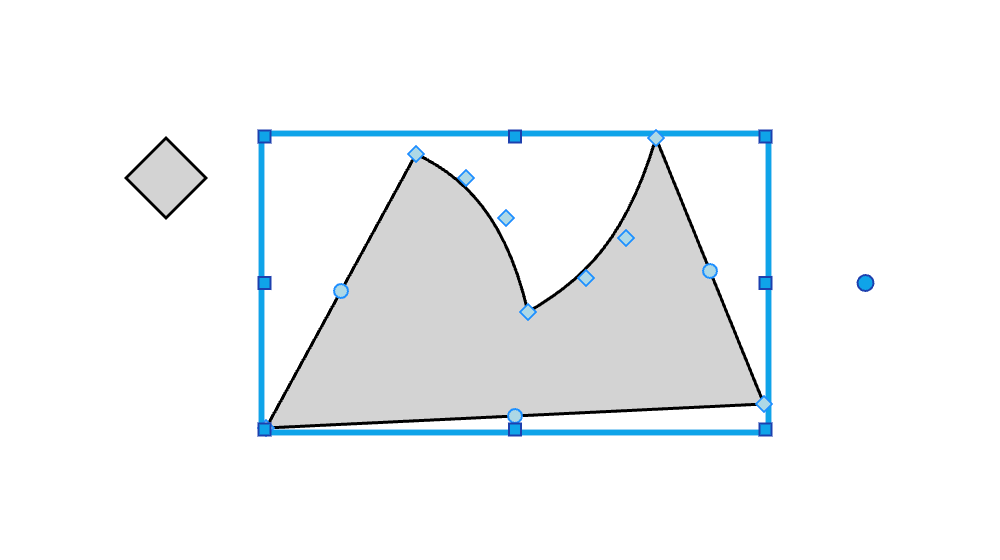
The Geometry Reshaping Tool is a custom class extending the Tool class that allows the user to resize and reshape custom geometries via dragging tool handles:
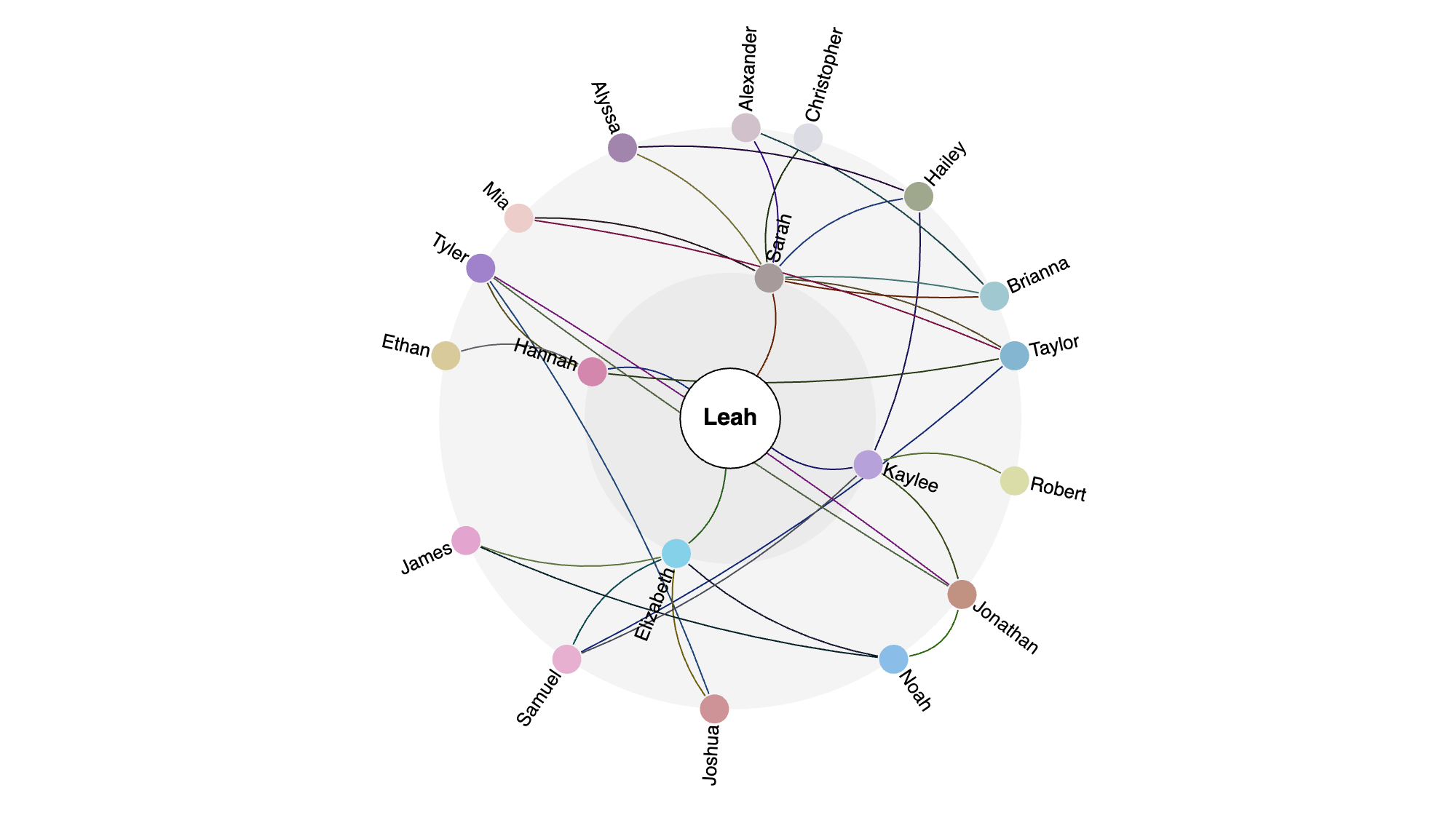
There are also several extension layouts such as the Radial Layout, which arranges connected nodes in concentric rings:
Extending the CommandHandler
Overriding the CommandHandler allows you to alter default functionality and create your own key bindings. See the learn page on commands for more. However, the techniques shown below for overriding methods on Tools and Layouts also applies to the CommandHandler.
Extending Tools and Layouts
GoJS operates on nodes and links using many tools and layouts, all of which are subclasses of the Tool and Layout classes. See the learn page on Tools for more about Tools, and the learn page on Layouts for more about Layouts.
Tools can be modified, or they can be replaced in or added to the Diagram.toolManager. All tools must inherit from the Tool class or from a class that inherits from Tool.
Layouts can be modified, or they can be used by setting Diagram.layout or Group.layout. All Layouts must inherit from the Layout class or a class that inherits from Layout.
Overriding a method without defining a subclass
Due to a "feature" of JavaScript, often we can avoid subclassing a Tool in its entirety and merely override a single method. This is common when we want to
make a small change to the behavior of a method of a Tool. Here we show how to override the ClickSelectingTool.standardMouseSelect method by
modifying the tool instance of a particular Diagram.
One can override Layout methods in this manner also, but that is rarely done -- layouts are almost always subclassed. It cannot be done for layouts that are the value of Group.layout because those layouts may be copied and cannot be shared.
Since we are not creating a new (sub)class, we set the method directly on the Diagram's ClickSelectingTool, which is referenced through its ToolManager. Typical scaffolding for overriding a method in such a manner is as follows:
As a concrete example, we will override Tool.standardMouseSelect to select only Nodes and Links that have a width and height of less than 100 diagram
units. This means that we must find the to-be-selected object using diagram.findPartAt, check its bounds, and quit if the bounds are too large.
Otherwise, we call the base functionality to select as it normally would.
Overriding methods by subclassing a Layout
Layouts and Tools can be subclassed to create custom classes that inherit the properties and methods of the predefined class.
In modern JavaScript (ECMAScript) or in TypeScript, you can use newer syntax for defining classes:
You can define property getters and setters:
If the layout might be used as the value of Group.layout, you will need to make sure the instance that you set in the Group template can be copied correctly.
Lastly we'll define a Layout.doLayout, being sure to look at the documentation and accommodate all possible input, as doLayout has one
argument that can either be a Diagram, or a Group, or an Iterable collection.
All together, we can see the cascade layout in action: